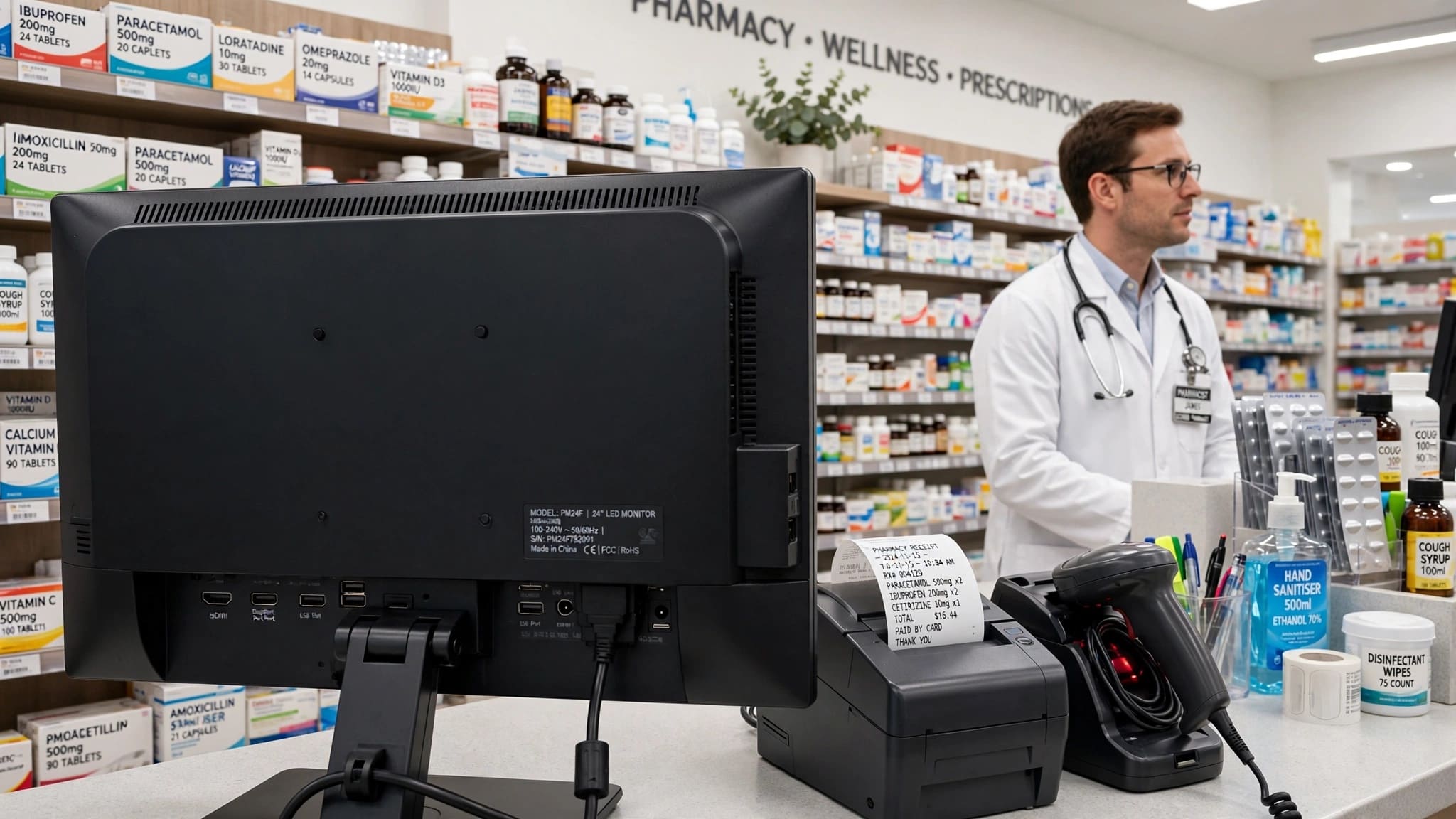
Running a pharmacy in Pakistan comes with unique challenges — from managing thousands of medicines to tracking batch-wise expiry dates, handling prescriptions, managing suppliers, monitoring stock, and meeting FBR and DRAP-related requirements. Traditional billing systems don't cut it for modern pharmacies. That's where ZORIVAN POS comes in.
ZORIVAN Pharmacy POS is a complete pharmacy point of sale and management system built for medicine shops, pharmacies, medical stores, and pharmacy chains across Pakistan. Whether you run a small medical store or a large multi-branch pharmacy, ZORIVAN helps you manage sales, medicines, stock, purchases, expiry, prescriptions, customers, suppliers, returns, payments, reports, and compliance-related workflows — all from one system.
ZORIVAN supports pharmacies in Karachi, Lahore, Islamabad, Rawalpindi, Faisalabad, Multan, Peshawar, Quetta, Sialkot, Gujranwala, Hyderabad, Sargodha, Bahawalpur, Sukkur, Abbottabad, Mardan, and other cities across Pakistan.
What is ZORIVAN Pharmacy POS?
ZORIVAN Pharmacy POS is a complete point of sale, inventory, purchasing, and pharmacy management system designed for Pakistani pharmacies and medical stores. It allows you to sell medicines at three different levels — Box, Strip, or Tablet — with automatic price calculation and stock deduction at the correct level.
The system also provides batch-wise expiry tracking, near-expiry alerts, expired-stock visibility, FIFO stock handling, prescription management, drug schedule tracking, barcode scanning, supplier management, purchase management, customer ledgers, multi-branch operations, detailed reports, and flexible offline, cloud, or hybrid deployment options.
For pharmacies that need FBR-connected billing, ZORIVAN also provides FBR invoice reporting, invoice numbers, QR codes, submission monitoring, and branch-level FBR status tracking.
Why Pharmacies Across Pakistan Choose ZORIVAN POS
- Offline, Cloud & Hybrid – Run your pharmacy POS without internet, use cloud access where needed, or combine local offline operation with automatic cloud synchronization.
- Box/Strip/Tablet Selling – Sell medicines at Box, Strip, or Tablet level with automatic price calculation and correct stock deduction.
- Smart Medicine Search – Search medicines by Generic Name, Brand Name, Salt / Active Ingredient, Category, Product Name, or Barcode.
- Expiry & Batch Management – Track expiry dates per batch, identify near-expiry and expired stock, and use FIFO to sell older batches first.
- Prescription & Narcotic Management – Mark prescription-required medicines, upload prescription photos, flag controlled medicines, and track configured drug schedules.
- DRAP-Related Pharmacy Controls – Track configured drug schedules such as G / H / X and maintain medicine-related records.
- FBR Integration & Monitoring – Generate FBR-related invoice information, invoice numbers, QR codes, and monitor submission status where applicable.
- Multi-Branch Pharmacy Management – Manage multiple pharmacy locations with branch-level users, permissions, stock, and reporting.
- Supplier & Purchase Management – Manage suppliers, purchase invoices, purchase orders, supplier balances, payments, and supplier returns.
- Advanced Inventory & Reports – Monitor stock value, low stock, out-of-stock medicines, expiry status, sales, profit, GST, discounts, and business performance.
Key Features for Pakistani Pharmacies
1. Box, Strip & Tablet Selling
Sell medicines as Box, Strip, or Tablet
Strip price auto-calculated from Box price and strips per box
Tablet price auto-calculated from Strip price and tablets per strip
Stock reduces at the correct selling level
Unavailable selling levels can be restricted based on stock
2. Smart Medicine Search
Search by Generic Name, Brand Name, Salt / Active Ingredient, Category, Product Name, or Barcode
Find multiple brands using the same generic or active ingredient
View medicine strength, pack size, form, variant, price, and available stock
Scan a barcode to quickly find the exact medicine variant
3. Medicine Variant Management
Manage different strengths, pack sizes, forms, and variants separately
Each variant can have its own barcode, price, stock, and sales history
Prevent different medicine strengths or pack sizes from being mixed
Open the exact medicine variant through barcode scanning
4. Expiry & Batch Tracking
Expiry tracked per batch, not only per product
Near-expiry alerts help identify medicines approaching expiry
Expired-stock visibility helps prevent expired medicine sales
FIFO helps sell older batches before newer stock
Review batch-level stock and expiry information
5. Prescription & Narcotic Management
Mark medicines as prescription-required
Upload prescription photos at sale time where supported
Flag controlled or narcotic medicines for additional attention
Track configured drug schedules such as G / H / X
6. DRAP-Related Pharmacy Controls
Track configured drug schedules such as G / H / X
Identify medicines requiring prescription or special handling
Maintain medicine records for pharmacy operations
Support pharmacy documentation and regulatory workflows
7. GST & PCT Management
Apply product-based or category-based GST settings
Manage PCT codes where required
Override GST or product tax settings when authorized
Review GST reports by rate or category
8. FBR Integration & Monitoring
Generate FBR-related invoice information
Display FBR invoice number and QR code where applicable
Monitor submitted, pending, and failed invoice records
Review FBR submission status and error details
Monitor FBR activity across branches
9. Pharmacy Returns
Return Box, Strip, or Tablet separately
Support partial medicine returns
Restore stock to the appropriate batch
Calculate applicable tax adjustments for returns
Maintain return transaction history
10. Barcode Scanning & Label Printing
Scan medicine barcodes for fast billing
Support common EAN-8 and EAN-13 barcode formats
Works with USB barcode scanners
Print barcode labels for products where required
Quickly identify the exact medicine variant
11. Supplier & Purchase Management
Create and manage purchase orders
Receive complete or partial purchase orders
Record purchase invoices and supplier payments
Track supplier opening and outstanding balances
Maintain supplier transaction history
12. Supplier Returns & Credit
Return expired, damaged, or incorrect stock to suppliers
Process returns at batch or product level where supported
Track supplier credits generated from returns
Monitor supplier credit balances and transaction history
13. Advanced Inventory Dashboard
View total stock and inventory value
Monitor expired and near-expiry stock
Identify low-stock and out-of-stock medicines
Review stock by expiry periods
Inventory updates after sales, purchases, returns, transfers, and adjustments
14. Low Stock & Reorder Management
Set stock thresholds for medicines
Identify low-stock medicines before they run out
See out-of-stock products quickly
Use stock information to plan pharmacy purchases
15. Multi-Warehouse Management
Manage multiple warehouses for a pharmacy or branch
Transfer stock between warehouses where configured
Create and manage stock transfer requests
Track inventory by branch and warehouse
16. Multi-Branch Pharmacy Management
Manage multiple pharmacy locations from one system
Monitor branch-wise sales and inventory
Manage branch managers, cashiers, and employees
Keep branch-level data and reporting organized
View business performance from an HQ dashboard
17. Customer Profiles & Credit Ledger
Create customer profiles
Track customer purchase history
Manage customer credit balances
Maintain running customer ledgers
Track loyalty points where enabled
18. Flexible Payments & Discounts
Accept cash, credit, or split payments
Apply discounts by amount or percentage
Configure GST inclusive or exclusive billing
Track payment methods and transaction totals
19. Advanced Pharmacy Reports
Daily, monthly, yearly, and custom date-range sales reports
Best-selling and slow-moving medicine reports
Product-wise and category-wise sales analysis
Profit, discount, GST, and payment reports
Export supported reports for further analysis
20. Offline, Cloud & Hybrid Operation
Continue pharmacy billing without an internet connection
Use cloud-based access where required
Hybrid mode combines local offline operation with cloud synchronization
Synchronize local and cloud records when connectivity is available
Designed for pharmacies operating in areas with unreliable internet
21. Thermal Receipt Printing
Print pharmacy receipts on supported thermal printers
Support common 58mm and 80mm receipt formats
Support compatible USB, network, and Wi-Fi printer setups
Print invoice information, barcode, and FBR details where applicable
22. Role-Based Access & Audit Trail
Create separate access levels for administrators, managers, cashiers, and employees
Control access to sensitive pharmacy functions
Track important actions such as price changes, stock adjustments, discounts, and voids
Maintain user and timestamp information for operational review
23. Multi-Language Interface
English, Urdu, and Pashto interface options
Change interface language for staff
Useful for pharmacy teams across different regions of Pakistan
Changing the interface language does not alter business data
24. Light & Dark Mode
Switch between light and dark themes
Comfortable interface for pharmacy staff
Theme preference can be remembered per user
Useful for pharmacies operating during night shifts
25. Flexible Business Day Closing
Set pharmacy closing time beyond midnight
Sales after midnight can remain part of the previous business day based on configuration
Useful for 24-hour and late-night pharmacies
Maintain accurate daily sales and reporting periods
26. Digital Receipts & Alerts
Provide digital receipts where supported
Send customer or business notifications through supported channels
Low-stock and payment reminders can be automated where enabled
Reduce dependency on manual follow-up
27. API & Third-Party Integration
API access for supported integrations
Connect pharmacy operations with compatible online stores or external systems
Support integration with third-party business software where available
Useful for growing pharmacy businesses and chains
Complete Pharmacy Inventory Management
ZORIVAN helps pharmacy owners maintain complete visibility over their medicine inventory. Instead of relying on manual registers or spreadsheets, pharmacy owners can monitor stock quantities, inventory value, expiry status, low-stock products, out-of-stock medicines, batches, purchases, returns, transfers, and adjustments from one system.
The inventory dashboard can help identify expired medicines, medicines approaching expiry, low-stock items, and products with no available stock. Stock information is updated as pharmacy transactions are processed, helping owners and managers make better purchasing decisions.
Pharmacy Purchase & Supplier Management
Managing medicine suppliers is an important part of pharmacy operations. ZORIVAN provides tools for purchase orders, purchase receiving, supplier invoices, supplier balances, supplier payments, purchase returns, and supplier credit tracking.
Pharmacy owners can maintain supplier transaction history and monitor outstanding balances. Supplier returns can also be recorded for applicable products, including batch-level information where supported.
FBR Billing & Invoice Monitoring for Pharmacies
For pharmacies that require FBR-connected billing, ZORIVAN provides features for FBR invoice information, invoice numbers, QR codes, submission monitoring, and transaction status tracking.
Businesses can review submitted, pending, or failed invoice records and investigate available error details. Multi-branch businesses can also monitor FBR-related activity across their pharmacy locations.
Pharmacy Sales, Customers & Credit Management
ZORIVAN allows pharmacies to manage cash, credit, and split payments while maintaining customer profiles and credit ledgers. Customer purchase history, outstanding balances, discounts, and payment information can be managed from the system.
This is particularly useful for pharmacies that provide credit to regular customers, clinics, businesses, or other approved accounts.
Pharmacy Reports & Business Analytics
Pharmacy owners can use ZORIVAN reports to understand daily and monthly sales, medicine performance, profit, discounts, GST, payment methods, best-selling products, slow-moving products, stock value, and expiry-related inventory.
Reports can be filtered by date and business area where supported, helping pharmacy owners make purchasing and inventory decisions based on actual business data.
Serving Pharmacies in Every Major Pakistani City
ZORIVAN Pharmacy POS is designed for pharmacy owners and medical stores across Pakistan, including businesses operating in:
- Karachi – Saddar, Clifton, Korangi, Malir
- Lahore – Anarkali, Gulberg, Johar Town
- Islamabad – F-10, G-9, Blue Area
- Rawalpindi – Saddar, Satellite Town
- Faisalabad – D-Ground, Madina Town
- Multan – Hussain Agahi, Cantt
- Peshawar – Saddar, Hayatabad
- Quetta – Jinnah Road, Cantt
- Sialkot – Allama Iqbal Road
- Gujranwala – G.T. Road
- Hyderabad – Latifabad, Cantt
- Sargodha – Club Road
- Bahawalpur – Circular Road
- Sukkur – Barrage Road
- Abbottabad – Mansehra Road
- Mardan – City Center
Why Pakistani Pharmacies Choose ZORIVAN
- Pharmacy-Focused POS – Designed around medicine sales, inventory, expiry, batches, prescriptions, suppliers, and pharmacy operations.
- Box/Strip/Tablet Selling – Sell medicines at different pack levels with appropriate pricing and stock handling.
- Smart Medicine Search – Find medicines using generic name, brand name, salt, category, product name, or barcode.
- Expiry & FIFO – Track batch expiry and prioritize older stock.
- FBR Features – Support FBR-related invoicing and monitoring where applicable.
- Offline Operation – Continue billing even when internet connectivity is unavailable.
- Cloud & Hybrid Options – Choose the deployment model that fits your pharmacy operation.
- Multi-Branch Management – Manage pharmacy branches from a centralized system.
- Supplier & Purchase Management – Control purchasing, supplier balances, returns, and credits.
- Urdu & Pashto Interface – Support staff with familiar language options.
- Local Support – Get assistance from a Pakistan-based support team through available support channels.
- Free Demo – Explore the system before choosing a plan.
ZORIVAN Pharmacy POS Pricing for Pakistani Pharmacies
Pricing
Pick what fits your business
Go fully offline for life, pay monthly, or buy a multi-branch license outright. Try it free for 14 days — no card required.
See exactly how it works before you pay a rupee — pre-loaded with sample products, sales, expenses, and supplier records.
- Full POS — all business types
- Sample products, stock & sales already loaded
- Try supplier, expense & loan records
- Explore reports & dashboard live
- Your own data & branch access
Single Shop · Offline
No internet needed — ever
Pay once, own it forever. Sale nahi rukegi even if internet down ho.
Optional Rs 3,500/year from year 2 for updates & support.
- Full POS — all business types
- Pharmacy mode (Box/Strip/Tablet) & Cafe mode (KOT)
- Unlimited products & sales
- Thermal printing (USB/WiFi/Serial/QZ)
- Supplier, expense & loan tracking
- 100% offline — internet down? Still works
- Free on-site installation by our team
- Cloud backup
- Multi-branch
Perfect for: shopkeepers who want zero monthly bills for life.
Get Offline LifetimeAll the power of the offline system, no big upfront payment. Cancel anytime.
No lock-in contract. No cloud backup.
- Full POS — all business types
- Pharmacy mode (Box/Strip/Tablet) & Cafe mode (KOT)
- Unlimited products & sales
- Thermal printing (USB/WiFi/Serial/QZ)
- Supplier, expense & loan tracking
- 100% offline — internet down? Still works
- Cloud backup
- Multi-branch
Perfect for: testing the system with low upfront risk.
Start Offline MonthlySingle Shop · Online
Cloud backup + runs from your phone
Same Single Shop system, plus your data safe in the cloud — even if your laptop dies.
Cancel anytime. Updates & support included every month.
- Full POS — all business types
- Pharmacy mode (Box/Strip/Tablet) & Cafe mode (KOT)
- Unlimited products & sales
- Supplier, expense & loan tracking
- Works online + offline (auto-sync)
- Cloud backup — data never lost
- Runs 100% on mobile — just open in browser, no app needed
- Printing needs a computer, unless you have a WiFi printer — then mobile works too
- Multi-branch
Perfect for: shop owners who want their data always backed up and access on the go.
Start Online MonthlyPay once, own the full online system for life — breaks even in under a year vs monthly.
Hosting & domain are yours to arrange (approx. Rs 5,000–8,000/year).
- Full POS — all business types
- Pharmacy mode (Box/Strip/Tablet) & Cafe mode (KOT)
- Unlimited products & sales
- Supplier, expense & loan tracking
- Cloud backup included
- One-time payment — yours for life
- Runs 100% on mobile — just open in browser, no app needed
- Printing needs a computer, unless you have a WiFi printer — then mobile works too
- Hosting & domain (client's own)
Perfect for: established shops ready to stop paying monthly, long-term.
Get Online LifetimeMulti-Branch
Control every branch from one screen
Just Rs 2,400 per branch for your first 2 — cheaper per-branch than the single-shop plan. Add more anytime at Rs 1,800/month each.
- Everything in Single Shop Online
- First 2 branches included
- Additional branch: +Rs 1,800/month
- HQ dashboard — all branches, one screen
- Branch manager role
- Cloud sync (online + offline) per branch
- Data isolation per branch
- Support & updates included
- Runs 100% on mobile — just open in browser, no app needed
- Printing needs a computer, unless you have a WiFi printer — then mobile works too
Perfect for: owners scaling past 1 shop who need one dashboard for all.
Start Multi-BranchUnlimited branches, own it outright — no monthly bill ever, no matter how many shops you open.
Optional Rs 15,000/year from year 2 for updates & support. Host it yourself.
- Everything in Single Shop
- Unlimited branches — no per-branch fee
- HQ dashboard — all branches
- Branch manager role
- Branch-aware reports
- Data isolation per branch
- Free installation, year-1 support included
- Runs 100% on mobile — just open in browser, no app needed
- Printing needs a computer, unless you have a WiFi printer — then mobile works too
Perfect for: growing chains (5+ branches) where monthly-per-branch adds up fast.
Get Multi-Branch LifetimeBig operation, specific needs? We'll build exactly what you need.
- Everything in Multi-Branch
- Custom feature development
- White-label branding
- API integration support
- Priority support
- Team training session
Perfect for: large businesses needing integrations or custom branding.
Talk to UsFrequently Asked Questions About Pharmacy POS in Pakistan
Get Started with ZORIVAN Pharmacy POS in Pakistan
Ready to modernize your pharmacy? ZORIVAN brings medicine billing, Box/Strip/Tablet selling, smart medicine search, batch and expiry tracking, prescription handling, inventory, purchases, suppliers, customer ledgers, FBR-related billing, multi-branch management, reports, and offline or cloud operation into one pharmacy management system.
Request a free demo and see how ZORIVAN can help your pharmacy manage sales, inventory, suppliers, expiry, customers, and daily operations more efficiently.