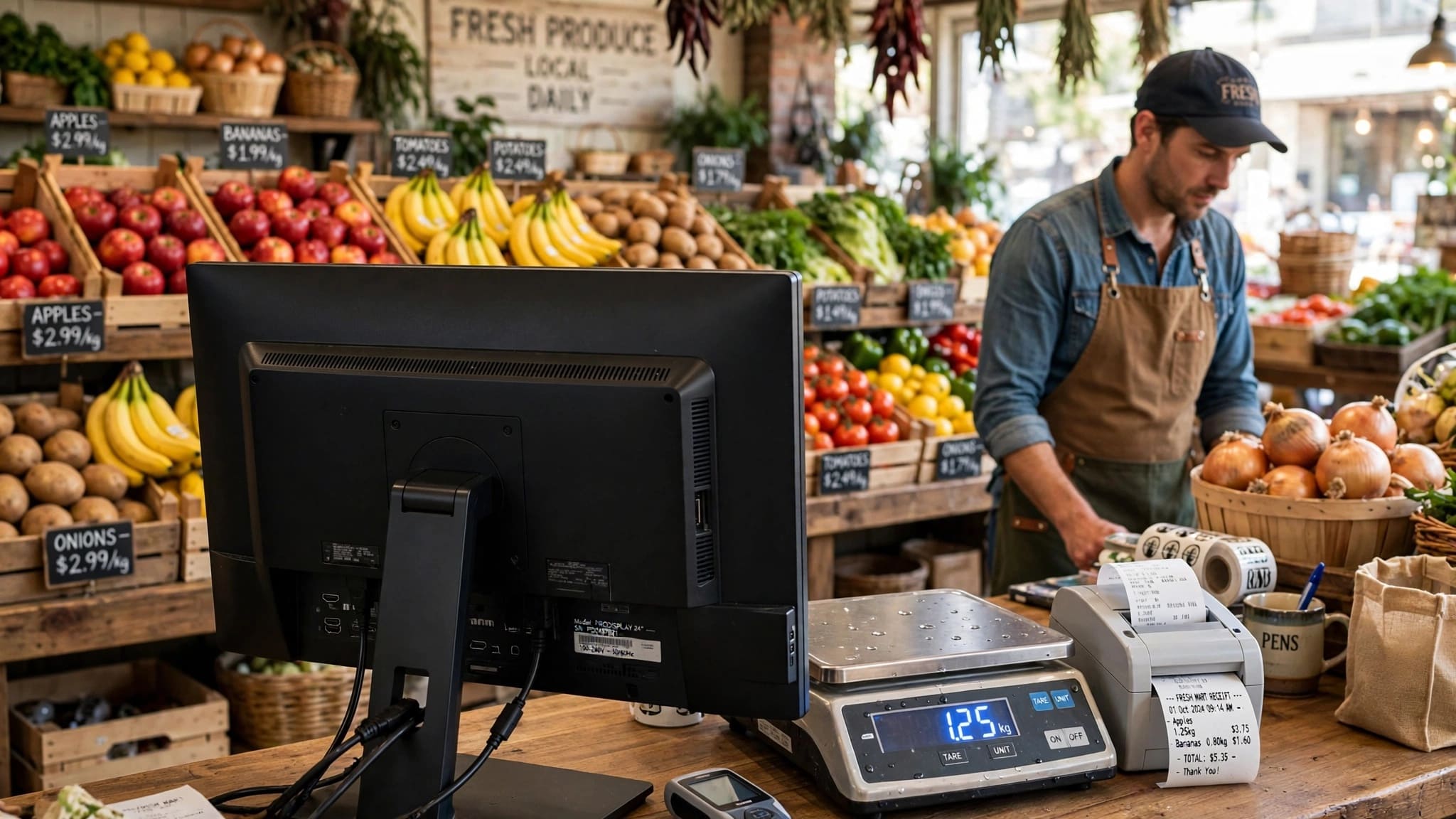
Running a fruit and vegetable store in Pakistan is a fast-paced daily operation. From weighing fresh produce and managing different product types to handling billing, stock, suppliers, and daily expenses, a reliable POS system can make the entire process faster and more organized. ZORIVAN POS is designed to help fruit and vegetable stores manage their daily retail operations from one system.
Whether you run a small sabzi shop, a busy fruit store, a large produce outlet, or multiple branches, ZORIVAN helps you manage products, weight-based items, barcode scanning, billing, inventory, suppliers, expenses, and branch operations in one place.
ZORIVAN serves fruit and vegetable stores across Karachi, Lahore, Islamabad, Rawalpindi, Faisalabad, Multan, Peshawar, Quetta, Sialkot, Gujranwala, Hyderabad, Sargodha, Bahawalpur, Sukkur, Abbottabad, and Mardan.
What is ZORIVAN Fruit & Vegetable Store POS?
ZORIVAN Fruit & Vegetable Store POS is a retail management and billing solution for fruit shops, vegetable stores, sabzi shops, and produce retailers. It helps you manage products, weight-based sales, barcode scanning, billing, inventory, suppliers, purchases, expenses, and multiple store locations.
Instead of relying on manual calculations and paper-based records, store owners can use ZORIVAN to keep sales, stock, purchases, suppliers, and expenses organized in one system.
Why Fruit & Vegetable Stores Choose ZORIVAN POS
- Weight-Based Selling – Sell fruits and vegetables according to weight and configured pricing.
- Digital Scale Support – Use compatible weighing-scale integration where supported.
- Barcode Scanning – Quickly find and add products using barcode scanners.
- Fast Billing – Create customer bills quickly with an easy POS interface.
- Inventory Management – Track stock movement through purchases and sales.
- Low-Stock Monitoring – Keep track of products that need replenishment.
- Supplier Management – Maintain supplier records, purchases, and outstanding balances.
- Expense Tracking – Record store expenses by category.
- Combo Products – Create produce bundles such as fruit baskets and vegetable packs.
- Multi-Branch Management – Manage multiple store locations through centralized branch management.
- HQ Dashboard – Monitor branch-level business activity from a central dashboard.
- Offline Capability – Continue POS operations in environments where internet connectivity is unavailable, subject to system configuration.
Key Features for Fruit & Vegetable Stores
1. Weight-Based Product Management
Sell fruits and vegetables according to weight.
Configure product pricing according to the required unit.
Enter product weight during billing.
Calculate the selling amount according to configured pricing.
Suitable for apples, potatoes, tomatoes, onions, oranges, bananas, and other produce.
2. Digital Scale Integration
Connect compatible weighing scales with the POS setup.
Capture weight directly where supported.
Use weight information during billing.
Reduce manual weight and price calculations.
Useful for high-volume fruit and vegetable stores.
3. Barcode Scanning
Scan product barcodes for quick product lookup.
Add products to the bill instantly.
Works with compatible USB barcode scanners.
Reduce manual product searching during checkout.
Useful for packaged and pre-labelled produce.
4. Fast Billing
Create customer bills quickly.
Add products and quantities directly from the POS screen.
Enter weight-based quantities when required.
Apply discounts according to configured options.
View subtotal, discount, tax, and final total.
5. Inventory Management
Maintain product and stock records.
Update inventory through purchases and sales.
Monitor available stock.
Identify products requiring replenishment.
Organize produce into categories.
6. Stock & Low-Stock Monitoring
Monitor current product quantities.
Track stock movement through sales and purchases.
Identify low-stock products.
Use stock information for purchasing decisions.
Keep frequently sold produce available.
7. Supplier Management
Create and manage supplier records.
Record purchases from suppliers.
Maintain supplier opening balances.
Track paid and remaining supplier amounts.
Review supplier and purchase records.
8. Purchase Management
Record incoming produce purchases.
Maintain purchase quantities and costs.
Update inventory through purchase entries.
Track supplier-related purchases.
Review purchase records by date.
9. Expense Tracking
Record daily store expenses.
Create expense categories according to business requirements.
Track expenses such as transport, rent, utilities, and salaries.
Review expenses through available reports.
Monitor operating costs alongside sales.
10. Combo Products & Produce Bundles
Create bundles containing multiple products.
Examples: Fruit Basket, Salad Pack, Weekly Vegetable Pack.
Set a configured selling price for the bundle.
Use bundles for promotional offers.
Manage bundled products through the POS system.
11. Flexible Payments
Accept configured payment methods at checkout.
Support cash payments.
Support card payments where configured.
Use split payment options where supported.
Apply discounts during billing.
12. Thermal Receipt Printing
Print customer receipts using compatible thermal printers.
Display store information on receipts.
Print product names, quantities, weights, prices, and totals.
Support common thermal receipt sizes according to printer configuration.
Use compatible printing methods such as ESC/POS or QZ Tray where supported.
13. Multi-Branch Management
Manage multiple fruit and vegetable store locations.
Maintain branch-specific business information.
Manage branch stock and sales.
Manage staff according to branch requirements.
Monitor multiple locations from centralized management.
14. HQ Dashboard
View business activity across multiple branches.
Monitor branch-level sales and operations.
Keep branch operations organized from a central location.
Useful for growing produce businesses and retail chains.
Centralized oversight for multi-location operations.
15. Multi-Language Interface
Use the interface in supported languages.
English interface available.
Urdu interface available where configured.
Pashto interface available where configured.
Useful for teams with different language preferences.
16. Offline POS Capability
Continue essential POS operations without an active internet connection where supported.
Useful for stores with unreliable connectivity.
Keep billing operations running during temporary connectivity issues.
Sync functionality can be used according to the system configuration.
Fruit & Vegetable Store POS in Major Pakistani Cities
ZORIVAN POS can be used by fruit and vegetable stores, sabzi shops, produce retailers, and growing retail businesses across Pakistan.
- Karachi – Clifton, Saddar, Korangi, Gulshan, North Karachi
- Lahore – Gulberg, Johar Town, Model Town, DHA, Anarkali
- Islamabad – F-10, G-9, Blue Area, I-8, E-11
- Rawalpindi – Saddar, Satellite Town, Bahria Town
- Faisalabad – D-Ground, Madina Town, Peoples Colony
- Multan – Hussain Agahi, Cantt, Bosan Road
- Peshawar – Saddar, Hayatabad, University Road
- Quetta – Jinnah Road, Cantt, Satellite Town
- Sialkot – Allama Iqbal Road, Railway Road
- Gujranwala – G.T. Road, Satellite Town
- Hyderabad – Latifabad, Cantt, Auto Bahn Road
- Sargodha – Club Road, University Road
- Bahawalpur – Circular Road, Model Town
- Sukkur – Barrage Road, Military Road
- Abbottabad – Mansehra Road, City Center
- Mardan – City Center, Cantt
Why Fruit & Vegetable Store Owners Choose ZORIVAN
- Weight-Based Billing – Convenient billing for produce sold by weight.
- Digital Scale Support – Connect compatible weighing equipment where supported.
- Fast Checkout – Quickly add products and complete customer bills.
- Inventory Control – Keep track of available stock and stock movement.
- Supplier Management – Organize suppliers, purchases, and balances.
- Expense Management – Record and monitor daily operating expenses.
- Combo Products – Create fruit baskets, salad packs, and vegetable bundles.
- Multi-Branch Management – Manage multiple produce store locations.
- HQ Dashboard – Centralized visibility for multi-branch businesses.
- Multi-Language Interface – Supported language options for staff.
- Offline Capability – Continue essential POS operations during connectivity issues where supported.
Functions Usable in Fruit & Vegetable Stores
- ✅ Weight-Based Products – Sell produce according to weight
- ✅ Digital Scale Support – Weighing-scale integration where supported
- ✅ Barcode Scanning – Fast product lookup and billing
- ✅ Fast Billing – Quick checkout for customers
- ✅ Inventory Management – Track product stock
- ✅ Low-Stock Monitoring – Identify products requiring replenishment
- ✅ Purchase Management – Record incoming produce
- ✅ Supplier Management – Track suppliers and purchases
- ✅ Expense Tracking – Record daily business expenses
- ✅ Combo Products – Fruit baskets and produce bundles
- ✅ Flexible Payments – Configured payment options
- ✅ Thermal Printing – Print customer receipts
- ✅ Multi-Branch – Manage multiple store locations
- ✅ HQ Dashboard – Centralized multi-branch management
- ✅ Multi-Language – Supported language options
- ✅ Offline Capability – POS operation during connectivity issues where supported
ZORIVAN Fruit & Vegetable Store POS Pricing
Pricing
Pick what fits your business
Go fully offline for life, pay monthly, or buy a multi-branch license outright. Try it free for 14 days — no card required.
See exactly how it works before you pay a rupee — pre-loaded with sample products, sales, expenses, and supplier records.
- Full POS — all business types
- Sample products, stock & sales already loaded
- Try supplier, expense & loan records
- Explore reports & dashboard live
- Your own data & branch access
Single Shop · Offline
No internet needed — ever
Pay once, own it forever. Sale nahi rukegi even if internet down ho.
Optional Rs 3,500/year from year 2 for updates & support.
- Full POS — all business types
- Pharmacy mode (Box/Strip/Tablet) & Cafe mode (KOT)
- Unlimited products & sales
- Thermal printing (USB/WiFi/Serial/QZ)
- Supplier, expense & loan tracking
- 100% offline — internet down? Still works
- Free on-site installation by our team
- Cloud backup
- Multi-branch
Perfect for: shopkeepers who want zero monthly bills for life.
Get Offline LifetimeAll the power of the offline system, no big upfront payment. Cancel anytime.
No lock-in contract. No cloud backup.
- Full POS — all business types
- Pharmacy mode (Box/Strip/Tablet) & Cafe mode (KOT)
- Unlimited products & sales
- Thermal printing (USB/WiFi/Serial/QZ)
- Supplier, expense & loan tracking
- 100% offline — internet down? Still works
- Cloud backup
- Multi-branch
Perfect for: testing the system with low upfront risk.
Start Offline MonthlySingle Shop · Online
Cloud backup + runs from your phone
Same Single Shop system, plus your data safe in the cloud — even if your laptop dies.
Cancel anytime. Updates & support included every month.
- Full POS — all business types
- Pharmacy mode (Box/Strip/Tablet) & Cafe mode (KOT)
- Unlimited products & sales
- Supplier, expense & loan tracking
- Works online + offline (auto-sync)
- Cloud backup — data never lost
- Runs 100% on mobile — just open in browser, no app needed
- Printing needs a computer, unless you have a WiFi printer — then mobile works too
- Multi-branch
Perfect for: shop owners who want their data always backed up and access on the go.
Start Online MonthlyPay once, own the full online system for life — breaks even in under a year vs monthly.
Hosting & domain are yours to arrange (approx. Rs 5,000–8,000/year).
- Full POS — all business types
- Pharmacy mode (Box/Strip/Tablet) & Cafe mode (KOT)
- Unlimited products & sales
- Supplier, expense & loan tracking
- Cloud backup included
- One-time payment — yours for life
- Runs 100% on mobile — just open in browser, no app needed
- Printing needs a computer, unless you have a WiFi printer — then mobile works too
- Hosting & domain (client's own)
Perfect for: established shops ready to stop paying monthly, long-term.
Get Online LifetimeMulti-Branch
Control every branch from one screen
Just Rs 2,400 per branch for your first 2 — cheaper per-branch than the single-shop plan. Add more anytime at Rs 1,800/month each.
- Everything in Single Shop Online
- First 2 branches included
- Additional branch: +Rs 1,800/month
- HQ dashboard — all branches, one screen
- Branch manager role
- Cloud sync (online + offline) per branch
- Data isolation per branch
- Support & updates included
- Runs 100% on mobile — just open in browser, no app needed
- Printing needs a computer, unless you have a WiFi printer — then mobile works too
Perfect for: owners scaling past 1 shop who need one dashboard for all.
Start Multi-BranchUnlimited branches, own it outright — no monthly bill ever, no matter how many shops you open.
Optional Rs 15,000/year from year 2 for updates & support. Host it yourself.
- Everything in Single Shop
- Unlimited branches — no per-branch fee
- HQ dashboard — all branches
- Branch manager role
- Branch-aware reports
- Data isolation per branch
- Free installation, year-1 support included
- Runs 100% on mobile — just open in browser, no app needed
- Printing needs a computer, unless you have a WiFi printer — then mobile works too
Perfect for: growing chains (5+ branches) where monthly-per-branch adds up fast.
Get Multi-Branch LifetimeBig operation, specific needs? We'll build exactly what you need.
- Everything in Multi-Branch
- Custom feature development
- White-label branding
- API integration support
- Priority support
- Team training session
Perfect for: large businesses needing integrations or custom branding.
Talk to UsFrequently Asked Questions About Fruit & Vegetable Store POS
Get Started with ZORIVAN Fruit & Vegetable Store POS
Looking for a POS system for your fruit and vegetable store in Pakistan? ZORIVAN helps you manage weight-based products, billing, barcode scanning, inventory, purchases, suppliers, expenses, combo products, and multiple branches from one system.
Contact ZORIVAN for a demo and learn how the POS system can help organize your fruit and vegetable store operations, improve billing efficiency, and keep your business records more manageable.