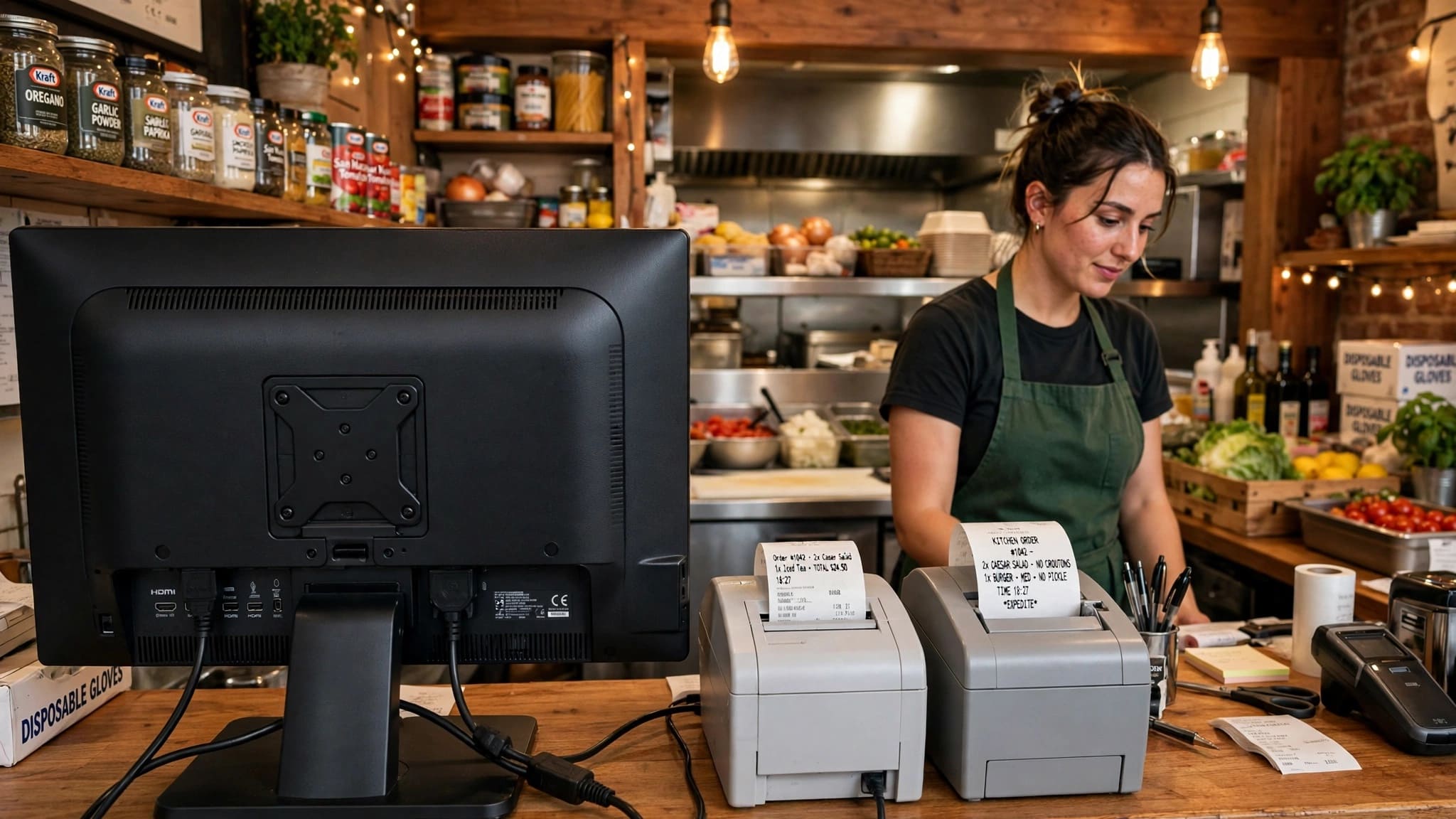
Running a cafe or restaurant in Pakistan is fast-paced and demanding. From managing tables and taking orders to printing kitchen tickets and handling bills, every second counts. ZORIVAN POS brings table management, order management, KOT printing, billing, stock control, and restaurant operations together in one system.
ZORIVAN Cafe & Restaurant POS is designed for cafes, restaurants, dhabas, and food outlets across Pakistan. From a small cafe to a busy restaurant, ZORIVAN helps you manage tables, orders, kitchen tickets, billing, inventory, suppliers, expenses, and more from one simple system.
With ZORIVAN, restaurant owners can manage the complete order flow from table selection and order taking to kitchen printing and final billing. The system also supports dine-in, takeaway, and delivery orders.
What is ZORIVAN Cafe & Restaurant POS?
ZORIVAN Cafe & Restaurant POS is a complete point of sale and restaurant management system designed for cafes, restaurants, dhabas, and food outlets. It provides table management, Kitchen Order Tickets (KOT), quick order entry, order tracking, billing, flexible payments, combo products, inventory management, supplier management, expense tracking, thermal printing, and offline operation.
The system is built for fast restaurant operations, helping staff take orders quickly, send them to the kitchen, manage tables, and complete customer billing without unnecessary manual work.
Why Cafes & Restaurants Choose ZORIVAN POS
- Table Management – Manage unlimited tables with Available, Occupied, and Reserved status.
- Kitchen Order Tickets – Send orders directly to the kitchen printer with table, order type, items, and notes.
- Quick Order Screen – Select products quickly using category tabs and product cards.
- Order Management – Track dine-in, takeaway, and delivery orders from one dashboard.
- Table Transfer – Move an active order from one table to another without losing items or notes.
- Table Merge – Combine multiple occupied tables into one order and bill.
- Split Bills – Split a table bill by equal amount, individual items, or customer.
- Fast Billing – Keyboard-first billing designed for quick restaurant checkout.
- Flexible Payments – Cash, credit, or split payments with configurable discounts and GST.
- Combo Products – Create bundled products with fixed prices for meal deals and promotions.
- Real-Time Stock – Keep inventory updated with sales, returns, and stock movements.
- Supplier Management – Manage suppliers, purchases, invoices, payments, and supplier balances.
- Expense Tracking – Record restaurant expenses and include them in business reports.
- Thermal Printing – Print customer receipts, KOTs, and barcode labels using supported printers.
- Offline & Cloud Options – Use ZORIVAN offline, on the cloud, or in hybrid sync mode.
Key Features for Cafes & Restaurants
1. Table Management
Unlimited tables with custom names
Live status — Available, Occupied, Reserved
One click opens a new order
Table automatically becomes available after billing
Ideal for busy cafes and restaurants
2. Kitchen Order Ticket (KOT)
Print orders directly to the kitchen printer
Order number, table, order type, items, and notes
Large readable format for kitchen staff
Supports 58mm and 80mm paper
Works with QZ Tray or direct ESC/POS
3. Quick Order Screen
Category tabs for fast navigation
Tap-to-select product cards
Built-in size and color picker
Quantity controls for faster ordering
Special notes for individual items
Keyboard shortcuts for faster order entry
4. Orders Dashboard
View all restaurant orders in one place
Filter orders by status or date
Dine-in, takeaway, and delivery order counts
One-click order status updates
Track order progress easily
5. Table Transfer
Move an active order from one table to another
All items, quantities, and notes remain intact
Original table becomes available automatically
New table becomes occupied
Transfer history is recorded
6. Merge Tables
Combine two or more occupied tables
All items and quantities move into one order
Create one combined bill
Original table references are retained
Continue adding items after merging
7. Split Bills
Equal split for groups
Item-wise split for individual items
Customer-wise split for separate customers
Every split bill keeps its own payment status
System prevents duplicate item allocation
Split totals always reconcile with the original bill
8. Fast Billing
Keyboard-first billing interface
Quick product selection
Fast checkout for busy counters
Discount by amount or percentage
GST inclusive or exclusive
9. Flexible Payments
Cash payments
Credit payments
Split payments
Multiple payment methods per bill
Configurable discounts and GST
10. Combo Products
Bundle multiple products into one combo
Set a fixed combo price
Perfect for meal deals and promotional offers
Stock is updated for included products
Useful for breakfast, lunch, family, and value meals
11. Real-Time Inventory Management
Stock updates with sales, returns, and adjustments
Low-stock visibility
Best-selling and slow-moving product reports
Batch-level stock tracking
FIFO stock deduction
12. Supplier Management
Add suppliers with opening balances
Record purchases from suppliers
Track paid and remaining invoice amounts
Supplier reports by date range
Manage supplier returns and credits
13. Expense Tracking
Record daily restaurant expenses
Categorize expenses such as rent, utilities, salaries, and transport
Expenses appear in business reports
Profit calculation includes recorded expenses
14. Thermal Printing
Print customer sale receipts
Print Kitchen Order Tickets
Print barcode labels
Supports 58mm and 80mm paper
USB, network, serial, and QZ Tray printing support
15. Multi-Branch Restaurant Management
Manage multiple cafe and restaurant locations
Central HQ dashboard for all branches
Each branch sees only its own data
Branch managers manage their own branch
Compare branch sales and performance from HQ
Separate company name, phone, address, logo, and receipt footer per branch
16. Offline, Cloud & Hybrid Mode
Full offline operation without internet
Cloud-based operation from anywhere
Hybrid offline and cloud synchronization
Automatic cloud sync when internet returns
Branch-aware synchronization
Restaurant Management Beyond the Counter
ZORIVAN is more than a restaurant billing system. It provides the business management tools needed to control purchases, suppliers, inventory, expenses, customer records, accounts, and staff operations from one platform.
Purchasing & Suppliers
Create purchase orders
Receive stock partially or fully
Track supplier invoices and payments
Manage supplier returns and credits
Customer Ledger & CRM
Maintain customer profiles
View customer purchase history
Track credit balances
Manage loyalty points earned on sales
Accounts & Business Ledger
Track sales, purchases, expenses, and payments
Maintain running business accounts
Keep financial records synchronized
Staff & Payroll
Track employee attendance
Manage Present, Absent, Leave, Half Day, and Holiday records
Automatic salary calculation
Maintain payroll history and salary expenses
Multi-Branch Cafe & Restaurant Management
For restaurant groups and food businesses with multiple locations, ZORIVAN provides a centralized HQ dashboard. Business owners can monitor branches while branch managers and cashiers remain limited to their assigned branch.
- HQ Dashboard – View all restaurant branches from one screen.
- Branch Performance – Compare sales, profit, bills, average bill, and revenue share.
- Branch Data Isolation – Branch users cannot access other branches' data.
- Branch Managers – Manage staff, POS, settings, and reports for their own branch.
- Per-Branch Settings – Set individual company name, phone, address, logo, and receipt footer.
- Branch-Aware Sync – Synchronize branch data with the central cloud system.
Why Cafe & Restaurant Owners Trust ZORIVAN
- Faster Order Taking – Quick order screen helps staff enter orders efficiently.
- Better Kitchen Coordination – KOT printing sends clear order details directly to the kitchen.
- Easy Table Control – See available, occupied, and reserved tables at a glance.
- Flexible Bill Splitting – Split group bills by equal amount, item, or customer.
- Accurate Stock – Inventory updates automatically as orders and stock movements occur.
- Combo Management – Create meal deals and bundled products easily.
- Supplier & Expense Control – Keep purchasing and business expenses organized.
- Multi-Branch Control – Manage multiple restaurant locations through HQ.
- Offline Capability – Continue operating even when the internet is unavailable.
- Multi-Language Interface – English, Urdu, and Pashto interfaces.
Functions Usable in Cafe / Restaurant
- ✅ Table Management – Unlimited tables with live status
- ✅ Table Transfer – Move orders between tables
- ✅ Table Merge – Combine multiple tables
- ✅ Split Bills – Equal, item-wise, or customer-wise
- ✅ KOT Printing – Direct kitchen printing
- ✅ Quick Order Screen – Fast product selection
- ✅ Orders Dashboard – Track dine-in, takeaway, and delivery
- ✅ Fast Billing – Keyboard-first checkout
- ✅ Flexible Payments – Cash, credit, and split payment
- ✅ Combo Products – Meal deals and bundles
- ✅ Real-Time Inventory – Stock tracking
- ✅ Supplier Management – Purchases and payments
- ✅ Expense Tracking – Restaurant expenses
- ✅ Thermal Printing – Bills, KOT, and labels
- ✅ Multi-Branch HQ – Centralized branch management
- ✅ Offline + Cloud – Offline, cloud, or hybrid operation
ZORIVAN Cafe & Restaurant POS Pricing
Pricing
Pick what fits your business
Go fully offline for life, pay monthly, or buy a multi-branch license outright. Try it free for 14 days — no card required.
See exactly how it works before you pay a rupee — pre-loaded with sample products, sales, expenses, and supplier records.
- Full POS — all business types
- Sample products, stock & sales already loaded
- Try supplier, expense & loan records
- Explore reports & dashboard live
- Your own data & branch access
Single Shop · Offline
No internet needed — ever
Pay once, own it forever. Sale nahi rukegi even if internet down ho.
Optional Rs 3,500/year from year 2 for updates & support.
- Full POS — all business types
- Pharmacy mode (Box/Strip/Tablet) & Cafe mode (KOT)
- Unlimited products & sales
- Thermal printing (USB/WiFi/Serial/QZ)
- Supplier, expense & loan tracking
- 100% offline — internet down? Still works
- Free on-site installation by our team
- Cloud backup
- Multi-branch
Perfect for: shopkeepers who want zero monthly bills for life.
Get Offline LifetimeAll the power of the offline system, no big upfront payment. Cancel anytime.
No lock-in contract. No cloud backup.
- Full POS — all business types
- Pharmacy mode (Box/Strip/Tablet) & Cafe mode (KOT)
- Unlimited products & sales
- Thermal printing (USB/WiFi/Serial/QZ)
- Supplier, expense & loan tracking
- 100% offline — internet down? Still works
- Cloud backup
- Multi-branch
Perfect for: testing the system with low upfront risk.
Start Offline MonthlySingle Shop · Online
Cloud backup + runs from your phone
Same Single Shop system, plus your data safe in the cloud — even if your laptop dies.
Cancel anytime. Updates & support included every month.
- Full POS — all business types
- Pharmacy mode (Box/Strip/Tablet) & Cafe mode (KOT)
- Unlimited products & sales
- Supplier, expense & loan tracking
- Works online + offline (auto-sync)
- Cloud backup — data never lost
- Runs 100% on mobile — just open in browser, no app needed
- Printing needs a computer, unless you have a WiFi printer — then mobile works too
- Multi-branch
Perfect for: shop owners who want their data always backed up and access on the go.
Start Online MonthlyPay once, own the full online system for life — breaks even in under a year vs monthly.
Hosting & domain are yours to arrange (approx. Rs 5,000–8,000/year).
- Full POS — all business types
- Pharmacy mode (Box/Strip/Tablet) & Cafe mode (KOT)
- Unlimited products & sales
- Supplier, expense & loan tracking
- Cloud backup included
- One-time payment — yours for life
- Runs 100% on mobile — just open in browser, no app needed
- Printing needs a computer, unless you have a WiFi printer — then mobile works too
- Hosting & domain (client's own)
Perfect for: established shops ready to stop paying monthly, long-term.
Get Online LifetimeMulti-Branch
Control every branch from one screen
Just Rs 2,400 per branch for your first 2 — cheaper per-branch than the single-shop plan. Add more anytime at Rs 1,800/month each.
- Everything in Single Shop Online
- First 2 branches included
- Additional branch: +Rs 1,800/month
- HQ dashboard — all branches, one screen
- Branch manager role
- Cloud sync (online + offline) per branch
- Data isolation per branch
- Support & updates included
- Runs 100% on mobile — just open in browser, no app needed
- Printing needs a computer, unless you have a WiFi printer — then mobile works too
Perfect for: owners scaling past 1 shop who need one dashboard for all.
Start Multi-BranchUnlimited branches, own it outright — no monthly bill ever, no matter how many shops you open.
Optional Rs 15,000/year from year 2 for updates & support. Host it yourself.
- Everything in Single Shop
- Unlimited branches — no per-branch fee
- HQ dashboard — all branches
- Branch manager role
- Branch-aware reports
- Data isolation per branch
- Free installation, year-1 support included
- Runs 100% on mobile — just open in browser, no app needed
- Printing needs a computer, unless you have a WiFi printer — then mobile works too
Perfect for: growing chains (5+ branches) where monthly-per-branch adds up fast.
Get Multi-Branch LifetimeBig operation, specific needs? We'll build exactly what you need.
- Everything in Multi-Branch
- Custom feature development
- White-label branding
- API integration support
- Priority support
- Team training session
Perfect for: large businesses needing integrations or custom branding.
Talk to UsFrequently Asked Questions About Cafe & Restaurant POS
Get Started with ZORIVAN Cafe & Restaurant POS Today
Ready to simplify your cafe or restaurant operations? ZORIVAN brings table management, order taking, KOT printing, billing, inventory, suppliers, expenses, combo products, and multi-branch management into one complete POS and ERP system.
Try ZORIVAN and see how a connected restaurant POS can help your team take orders faster, manage tables efficiently, coordinate with the kitchen, and keep your business records organized.